
easyKare consent example
easyKare SMS/Text Messaging Opt-In
This page demonstrates how clients provide consent to receive SMS/text messages from easyKare and their selected practitioner.
easyKare is a product and brand operated by Snapsolv LLC.
Visual workflow
Booking and SMS consent at a glance
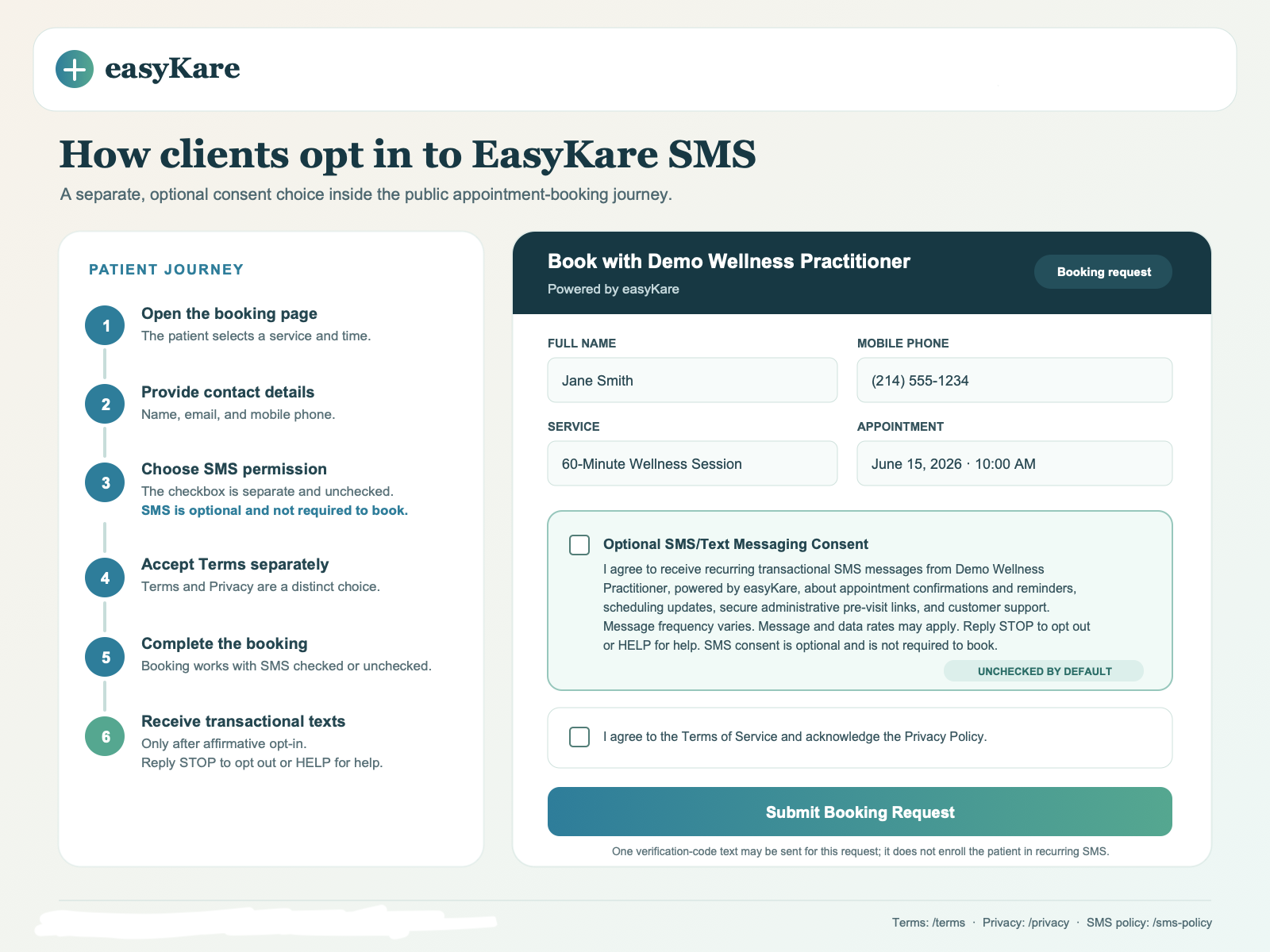
This image shows where the separate, optional SMS checkbox appears and how clients can complete a booking without enrolling in recurring text messages.
How Clients Opt In
- 1A client visits a public easyKare practitioner booking page.
- 2The client enters their name, email address, and mobile phone number.
- 3The client may optionally check a separate, unchecked SMS/text messaging consent checkbox.
- 4The client separately accepts the Terms and acknowledges the Privacy Policy.
- 5The client submits the booking request or inquiry. Booking remains available when SMS consent is not selected.
- 6If the client opted in, easyKare may send appointment confirmations, appointment reminders, scheduling updates, and customer support messages.
- 7The client may reply STOP to opt out or HELP for help.
Complete Branded Opt-In Example
This sample shows the separate, optional SMS/text messaging consent checkbox as it would appear in an easyKare booking request flow.
Opt-In Confirmation Message
Consent Recordkeeping
When a client opts in, easyKare may store the consent timestamp, source URL, consent text version, IP address, user agent, phone number, and related booking or inquiry details for compliance and audit purposes.
SMS Privacy Statement
Mobile information and SMS opt-in data will not be sold or shared with third parties for promotional or marketing purposes.